01 / CROP & WHITE BORDER
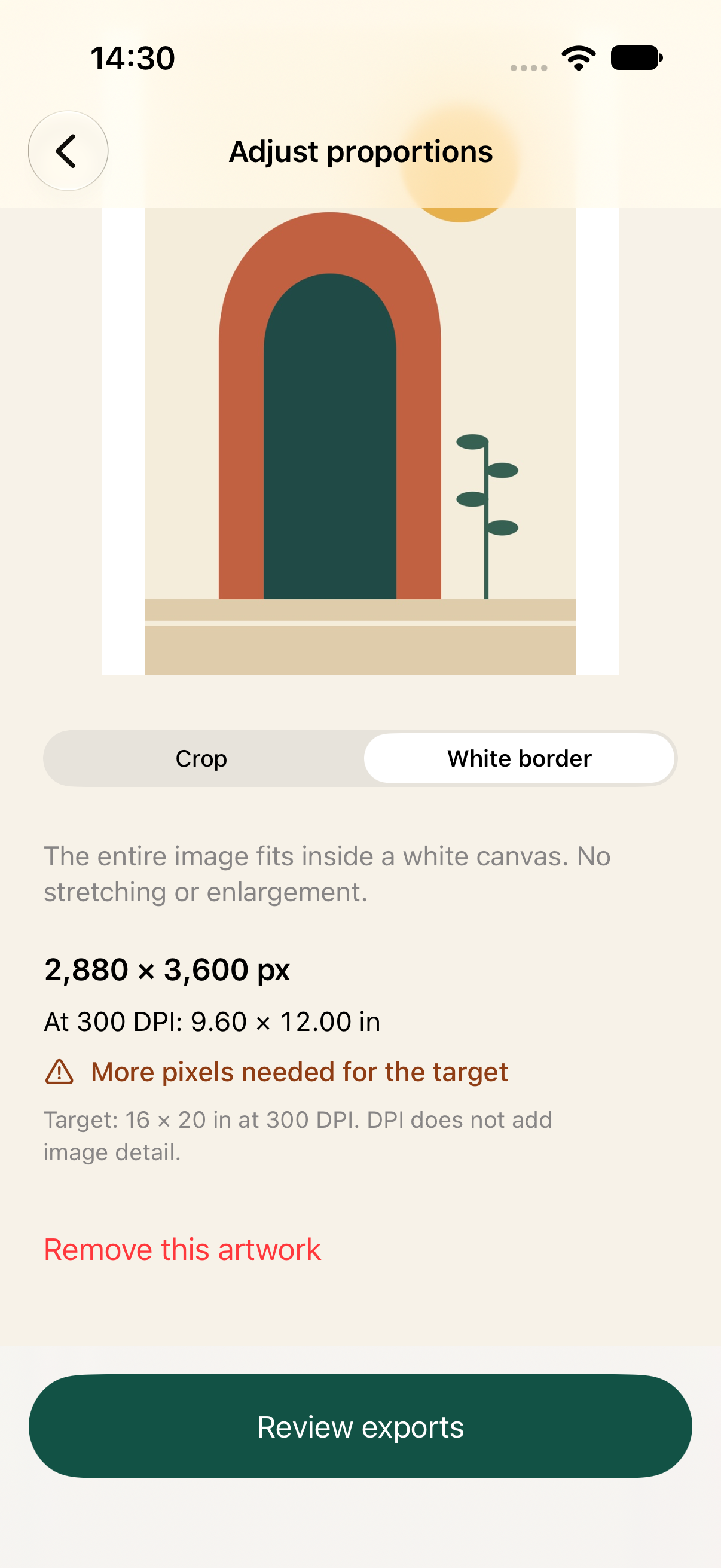
Keep the whole image, or crop.
White border fits the full artwork into the chosen ratio. Crop lets you position the frame with horizontal and vertical sliders. Images are never enlarged.
AN EPSIRAN PRODUCT PREVIEW / iPHONE
One artwork. Four ratios to review.
A native iPhone tool for preparing artwork in multiple proportions. Adjust each frame, check the real print size, and create one local ZIP.
Development preview
The first local version has been implemented and tested in iOS simulators. ArtPack is not yet publicly released.
01 / THE WORKFLOW
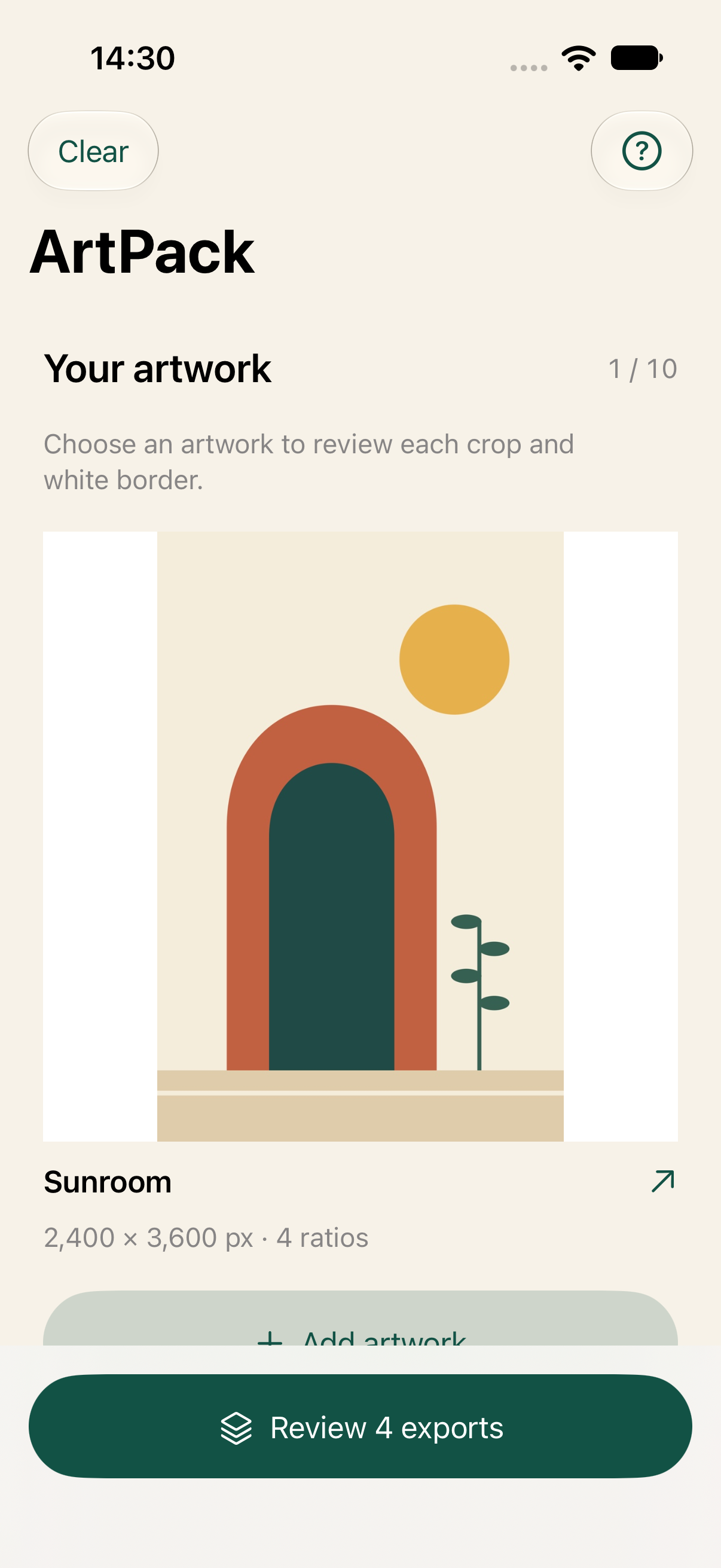
Choose a JPG or PNG, or try the built-in Sunroom example. Your source file stays unchanged.
Review 2:3, 3:4, 4:5 and 1:1 separately. Crop with focal-point sliders or fit the whole artwork inside a white border.
Check the pixel dimensions and resolution warnings, then create four JPEGs per artwork, a manifest and one ZIP to share.
02 / A CLOSER LOOK
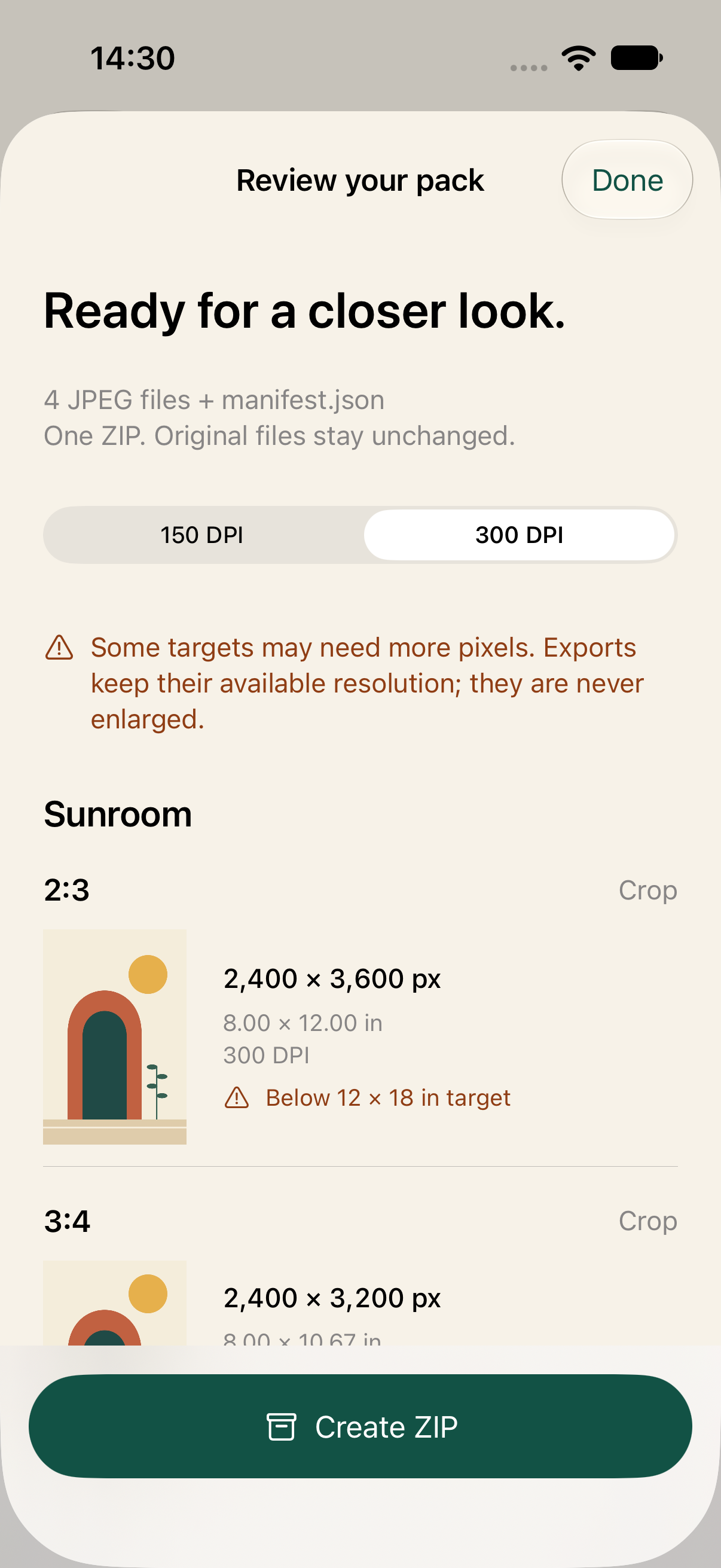
Every ratio gets its own settings. Print dimensions come from the available pixels and your choice of 150 or 300 DPI.
White border fits the full artwork into the chosen ratio. Crop lets you position the frame with horizontal and vertical sliders. Images are never enlarged.
See each JPEG’s dimensions and print size before confirming. At 300 DPI, 2400 × 3600 pixels gives 8 × 12 inches; a 12 × 18 inch target needs more pixels.
THE CURRENT SCOPE
Prepare the files locally, then use the iOS share sheet to save your ZIP. Resolution guidance helps you review the output; it is not a print-lab guarantee.
PRODUCT ENQUIRIES
Contact Epsiran for product questions or collaboration enquiries.
Development preview · Not yet publicly released