Timing & structure
Find malformed entries, invalid time ranges, out-of-order cues, and overlaps. Source order and supplied timecodes are preserved.
EPSIRAN’S FIRST PRODUCT / macOS
Review the details. Keep the original.
A native Mac app for checking SRT subtitles, previewing text cleanup, and exporting a separate copy before delivery.
Explore the workflow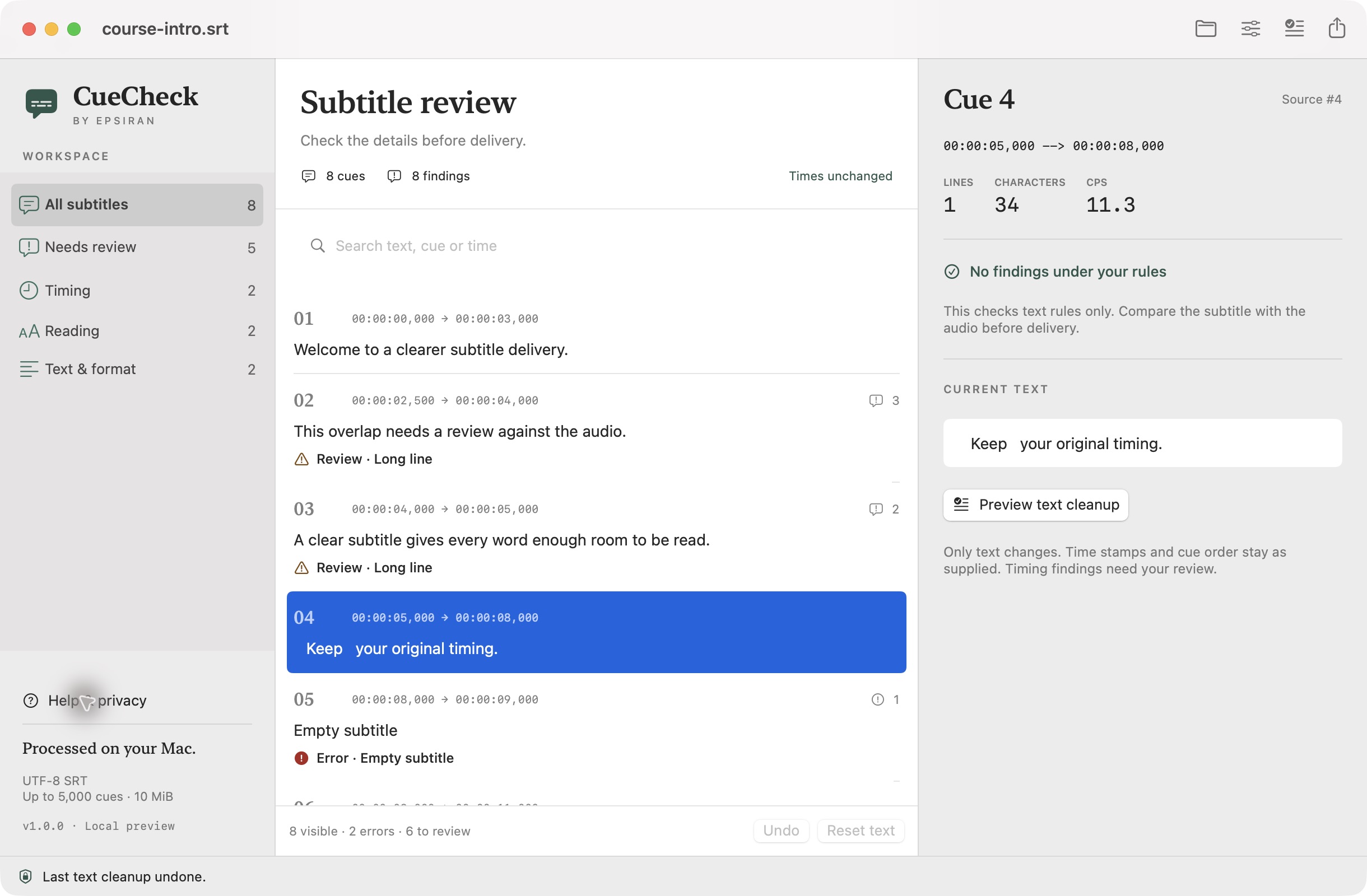
01 / THE WORKFLOW
Work through the findings, check proposed changes, and keep control of what leaves your workspace.
Open a local SRT and inspect structure, timing, and reading checks. Select a cue to see the details alongside its text.
Compare the current and proposed text for one cue or the whole file. Tidy line-edge whitespace or choose to wrap long lines, then apply the changes you have reviewed.
Export an SRT copy, a CSV findings list, or an offline HTML report. Your original file stays unchanged, and unresolved findings remain visible.
02 / A FOCUSED TOOL
Find malformed entries, invalid time ranges, out-of-order cues, and overlaps. Source order and supplied timecodes are preserved.
Review long lines, line count, reading speed, empty captions, and repeated text. Adjust the thresholds to suit your project.
Cleanup needs a preview before Apply. Undo the last text cleanup or reset the text to the imported original.
Subtitle text is processed on your Mac. Only rule templates you choose to save are kept in local settings.
THE SCOPE
CueCheck checks the file you supply. It does not listen to audio or play video, so synchronization and final delivery still need your review.
03 / PRODUCT ENQUIRIES
Contact Epsiran for product questions or potential collaborations. Release information will be shared once it is confirmed.
In development · Not yet publicly released