AN EPSIRAN PRODUCT PREVIEW / macOS
PathRelay
Convert a path. Keep its meaning.
A native Mac tool for turning Windows and Mac path text into the format you need, using equivalent roots you define.
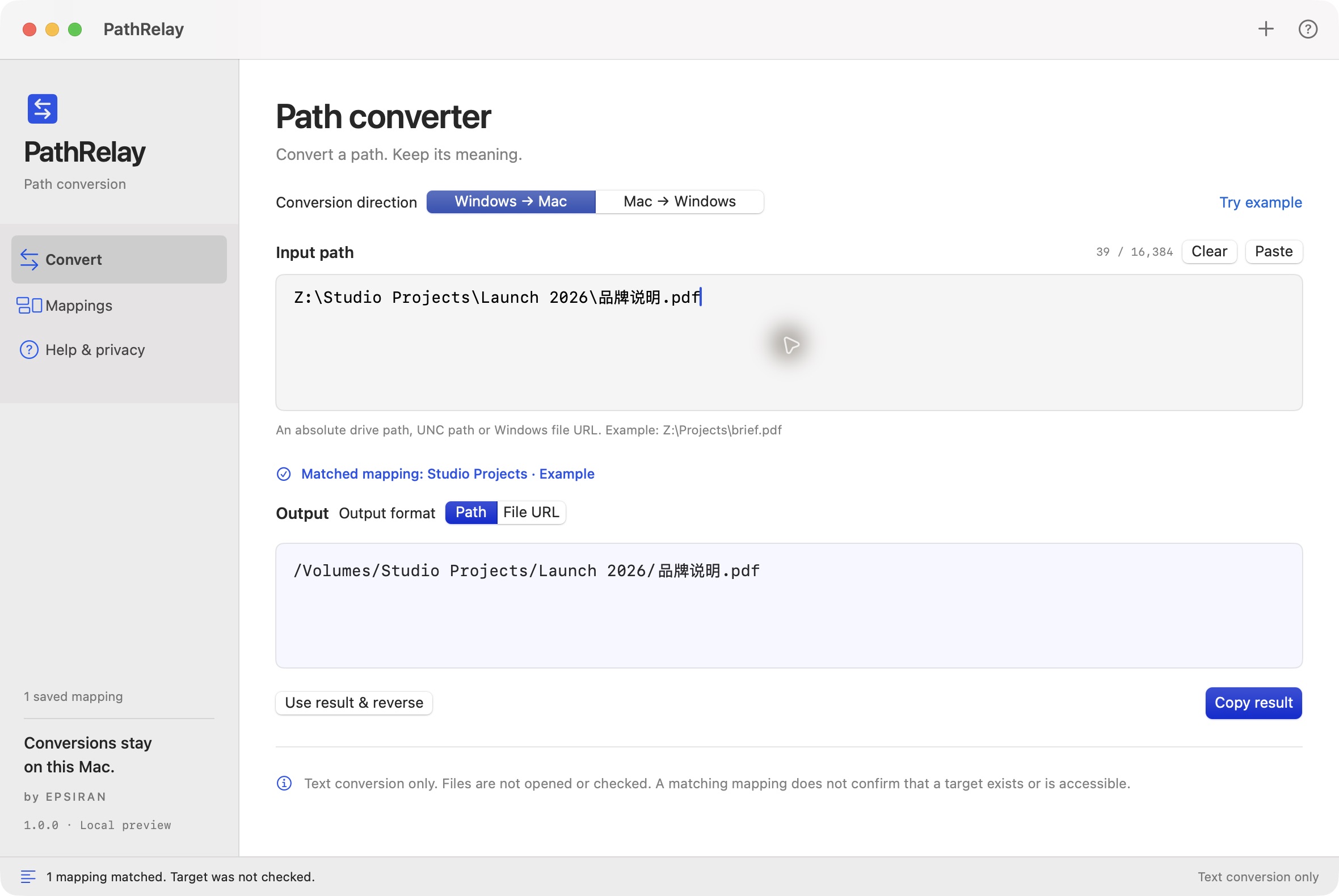
01 / THE WORKFLOW
Map the roots. Review the result.
- 01
Define equivalent roots
Pair a Windows drive or UNC share root with its Mac counterpart. The correspondence comes from your configuration.
- 02
Convert one path
Paste an absolute path or supported file URL. Switch direction or output format while preserving Chinese names, spaces and emoji.
- 03
Choose, then copy
When multiple mappings match, choose one yourself. Review the full result and copy it when you are ready.
02 / YOUR MAPPINGS
Keep the rules close to the work.
Add, edit, enable or remove mappings saved on your Mac. Matching respects directory boundaries; an unknown root gets a clear no-match result.
Local configuration. Deliberate actions.
- Saved locally
- Mapping names and roots are stored on your Mac. Conversion input and output are not saved as history.
- Your clipboard
- Paste and Copy happen when you ask. There is no background clipboard monitoring.

PRODUCT ENQUIRIES
A question about PathRelay?
Contact Epsiran for product questions or collaboration enquiries.
Development preview · Not yet publicly released